Real-World
GoHttp
直接编译:

nasm-2.14.02/nasm-2.14rc0
- Download:git clone git://repo.or.cz/nasm.git git checkout 7a81ead31b40392e9b0dff811ac0d3d4653ccfef
- Install:CC=afl-clang-fast CXX=afl-clang-fast++ CFLAGS=”-g -O0 -fsanitize=address” CXXFLAGS=”-g -O0 -fsanitize=address” LDFLAGS=”-fsanitize=address” ./configure –prefix=$PWD/build
make
make install
- Reproduce: `./nasm -f bin $POC -o ./tmp`
- ASAN dumps the backtrace:
binaryen-1.38.22
Plain Compilation
cmake . && make -j8
ubuntu@ubuntu-2204:~/Desktop/Real-World/binaryen-1.38.22$ binaryen-1.38.22/bin/wasm-merge PoC-CVE-2019-7703
段错误 (核心已转储)
Compilation with ASan
第一步构建运行configure文件构建项目,因此可以从修改configure文件入手:
ubuntu@ubuntu-2204:~/Desktop/Real-World/binaryen-1.38.22/binaryen-1.38.22$ diff CMakeLists_original.txt CMakeLists_modified.txt
50a51,53
>
> ADD_COMPILE_FLAG("-fsanitize=address")
> ADD_LINK_FLAG("-fsanitize=address")
ubuntu@ubuntu-2204:~/Desktop/Real-World/binaryen-1.38.22$ binaryen-1.38.22/bin-asan/wasm-merge PoC-CVE-2019-7703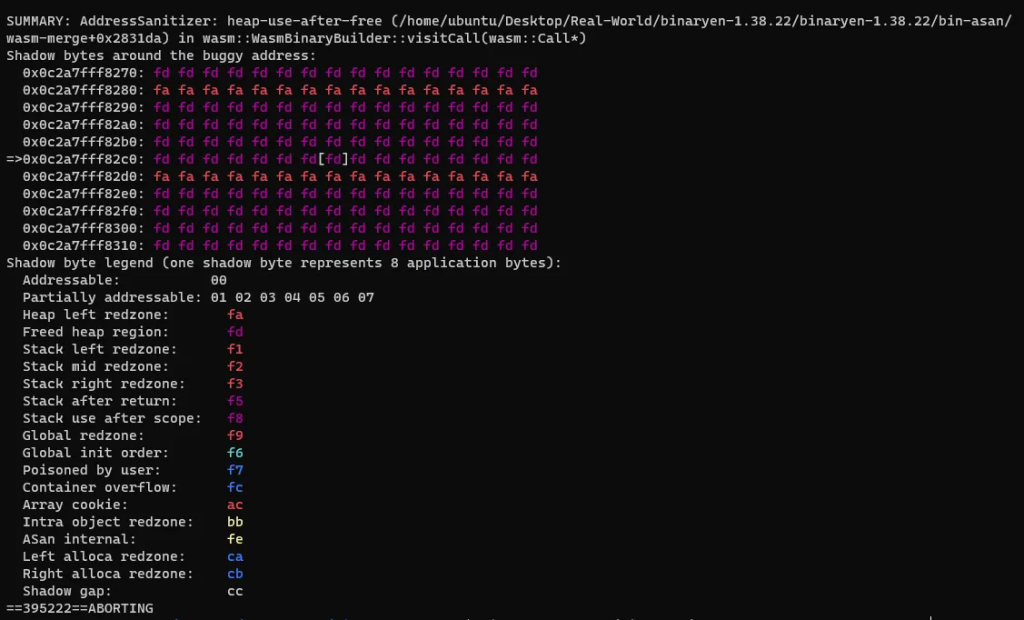
optipng-0.6.4
Plain Compilation
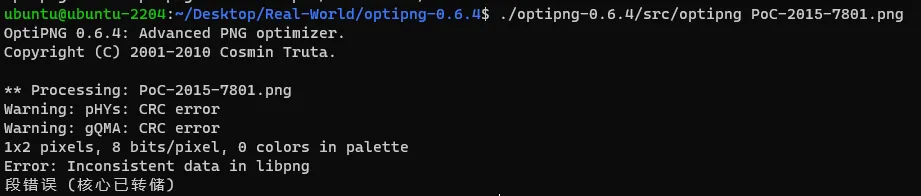
Compilation with ASan
第一步构建运行make文件构建项目,因此可以从修改Makefile文件入手:
ubuntu@ubuntu-2204:~/Desktop/Real-World/optipng-0.6.4/optipng-0.6.4$ diff original_Makefile.in modified_Makefile.in
1a2,3
> CFLAGS = -fsanitize=address
> LDFLAGS = -fsanitize=address
5c7
<       ${MAKE} -f @MAKEFILE@ CC="${CC}"; \\
---
>       ${MAKE} -f @MAKEFILE@ CC="${CC}" CFLAGS="${CFLAGS}" LDFLAGS="${LDFLAGS}"; \\
10c12
<       ${MAKE} -f @MAKEFILE@ install CC="${CC}"; \\
---
>       ${MAKE} -f @MAKEFILE@ install CC="${CC}" CFLAGS="${CFLAGS}" LDFLAGS="${LDFLAGS}"; \\
15c17
<       ${MAKE} -f @MAKEFILE@ uninstall CC="${CC}"; \\
---
>       ${MAKE} -f @MAKEFILE@ uninstall CC="${CC}" CFLAGS="${CFLAGS}" LDFLAGS="${LDFLAGS}"; \\
20c22
<       ${MAKE} -f @MAKEFILE@ clean CC="${CC}"; \\
---
>       ${MAKE} -f @MAKEFILE@ clean CC="${CC}" CFLAGS="${CFLAGS}" LDFLAGS="${LDFLAGS}"; \\
ubuntu@ubuntu-2204:~/Desktop/Real-World/optipng-0.6.4$ ./optipng-0.6.4/src/optipng-asan PoC-2015-7801.png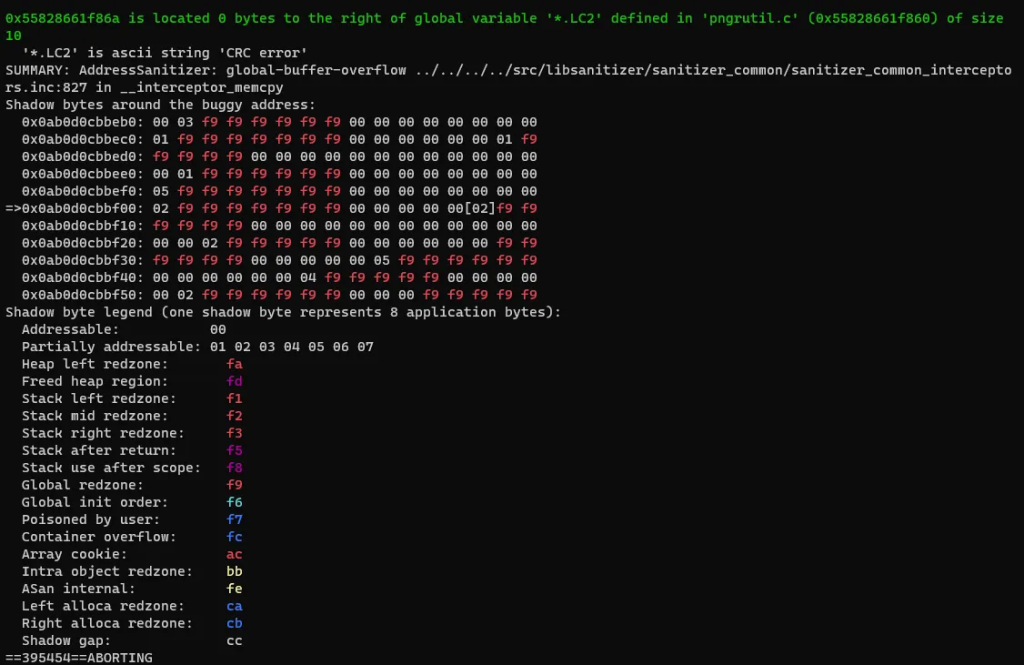
readelf-2.31.1
Plain Compilation
直接执行./configure后再执行make报错:
make[1]: 进入目录“/home/ubuntu/Desktop/Real-World/readelf-2.31.1”
Configuring in ./libiberty
configure: loading cache ./config.cache
configure: error: CC' has changed since the previous run: configure:   former value:  clang'
configure:   current value: gcc' configure: error: CFLAGS' has changed since the previous run:
configure:   former value:  -fsoftboundcets -g -O2' configure:   current value: -g -O2'
configure: error: LDFLAGS' has changed since the previous run: configure:   former value:   -fsoftboundcets -L/home/a/Downloads/cets/lib -lm -lrt'
configure:   current value: -static-libstdc++ -static-libgcc ' configure: error: in /home/ubuntu/Desktop/Real-World/readelf-2.31.1/libiberty':
configure: error: changes in the environment can compromise the build
configure: error: run make distclean' and/or rm ./config.cache' and start over
make[1]: *** [Makefile:7965:configure-libiberty] 错误 1
make[1]: 离开目录“/home/ubuntu/Desktop/Real-World/readelf-2.31.1”
make: *** [Makefile:850:all] 错误 2
之前执行./configure时使用的编译器(CC)和编译选项(CFLAGS和LDFLAGS)与现在的值不同。这通常是因为更改了这些环境变量的值或修改了configure脚本或Makefile.in文件。
当configure脚本运行时,它会创建一个config.cache文件,其中包含了之前配置的一些变量的值。如果再次运行configure或make时更改了这些值,构建系统就会检测到不一致。
- 运行
make distclean。这将清除之前的构建产物和配置信息。 - 删除
config.cache文件:rm ./config.cache。 - 重新运行
./configure并传递你想要的配置选项。 - 运行
make。

由于多个目录下都有config.cache文件,使用以下命令删除:
find . -name config.cache -exec rm {} \\;
find .: 这个命令从当前目录(.)开始搜索。name config.cache:这是一个条件,指定要查找的文件名为config.cache。exec: 这告诉find,对每个找到的文件执行后面的命令。rm {}: 这是要执行的命令。rm是一个删除文件的命令。{}是一个特殊的占位符,代表find命令找到的每个文件的路径。因此,对于每个找到的config.cache文件,rm命令都会被调用,删除该文件。\\;: 这是exec选项的结束标记。它告诉findexec选项的参数到哪里结束。反斜杠(\\)是必需的,以确保分号(;)被正确地传递给find,而不是被shell解释。
按照要求重新configure后再执行make继续报错
...
/bin/bash: 行 8: /home/ubuntu/Desktop/Real-World/readelf-2.31.1/missing: 权限不够
make[4]: *** [Makefile:504:[as.info](<http://as.info/>)] 错误 126
make[4]: 离开目录“/home/ubuntu/Desktop/Real-World/readelf-2.31.1/gas/doc”
make[3]: *** [Makefile:1260:all-recursive] 错误 1
make[3]: 离开目录“/home/ubuntu/Desktop/Real-World/readelf-2.31.1/gas”
make[2]: *** [Makefile:808:all] 错误 2
make[2]: 离开目录“/home/ubuntu/Desktop/Real-World/readelf-2.31.1/gas”
make[1]: *** [Makefile:4864:all-gas] 错误 2
make[1]: 离开目录“/home/ubuntu/Desktop/Real-World/readelf-2.31.1”
make: *** [Makefile:850:all] 错误 2- 权限问题:
/home/ubuntu/Desktop/Real-World/readelf-2.31.1/missing: 权限不够。这意味着missing文件没有足够的权限来执行。 - 错误在生成文档:特定的错误发生在尝试生成
as.info文件时,这是从as.texi文件生成的。这是一个Texinfo文档,makeinfo是用于从Texinfo源文件生成Info、HTML、PDF等格式的工具。
解决方法:
- 修复权限 执行以下命令,确保**
missing**脚本是可执行的。
chmod +x /home/ubuntu/Desktop/Real-World/readelf-2.31.1/missing- 手动安装
makeinfo如果系统上没有**makeinfo**可以尝试安装它。在Debian或Ubuntu系统上,使用以下命令。
sudo apt-get install texinfo在进行上述更改后,最好从头开始重新构建,以确保没有残留的错误或不一致状态。可以执行make distclean,然后重新运行./configure和make。执行程序:
ubuntu@ubuntu-2204:~/Desktop/Real-World/readelf-2.31.1$ binutils/readelf -a PoC-CVE-2018-20623
Compilation with ASan
find . -name config.cache -exec rm {} \\;
make distclean
./configure CFLAGS="-fsanitize=address" CXXFLAGS="-fsanitize=address" LDFLAGS="-fsanitize=address"
make -j8
ubuntu@ubuntu-2204:~/Desktop/Real-World/readelf-2.31.1$ binutils/readelf-asan -a PoC-CVE-2018-20623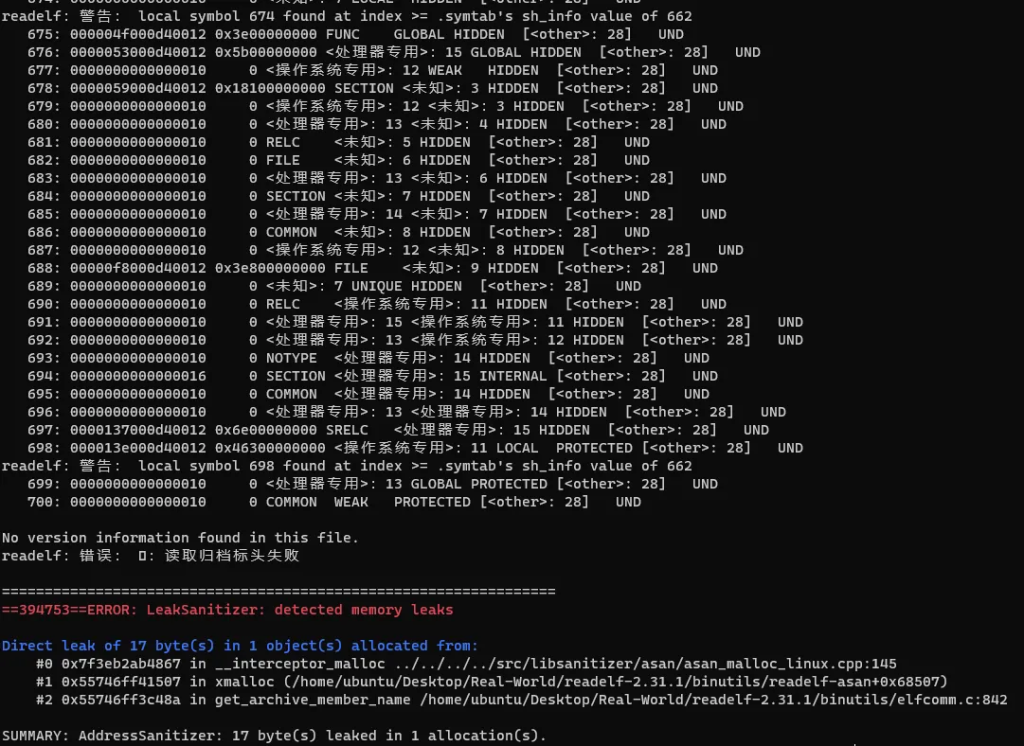
AddressSanitizer并不能检测出UAF。但是Valgrind可以检测出来:
